Fake Stripe dashboard: how to show realistic revenue on camera
 · 3 min read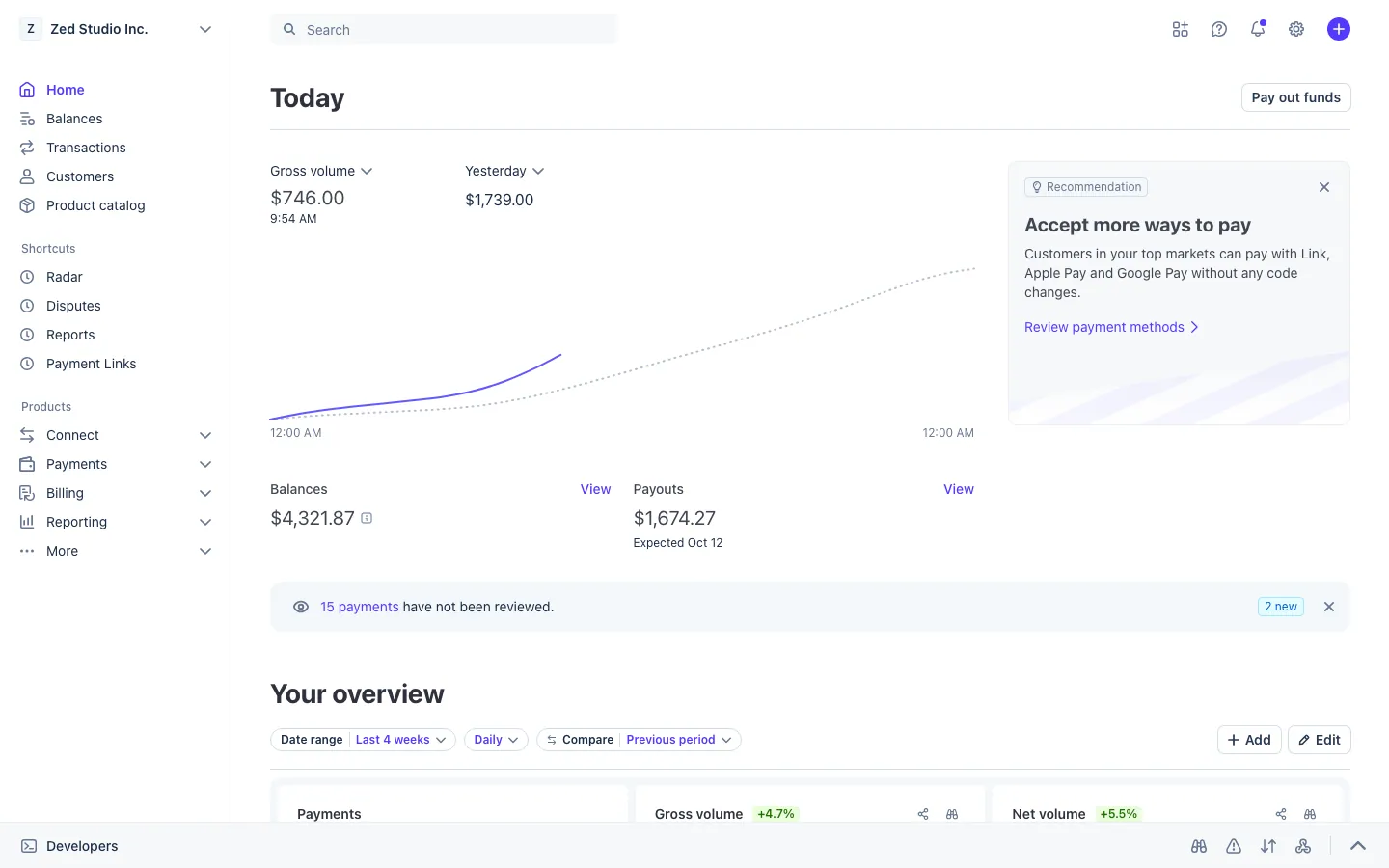
What a fake Stripe dashboard shows
The fake Stripe dashboard runs in a desktop browser with dashboard.stripe.com in the address bar, and as an app on your iPhone. It follows the real layout, so a viewer who knows Stripe feels at home.
- Home, with gross volume and MRR front and center.
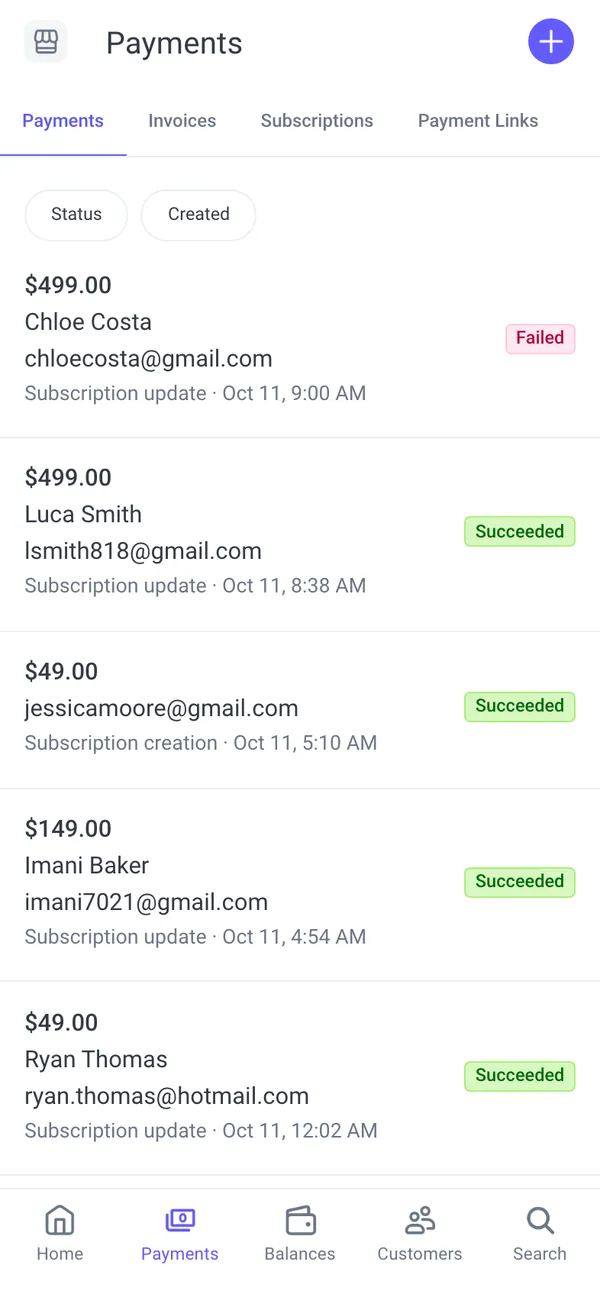
- Payments, a list of charges you can read and rename.
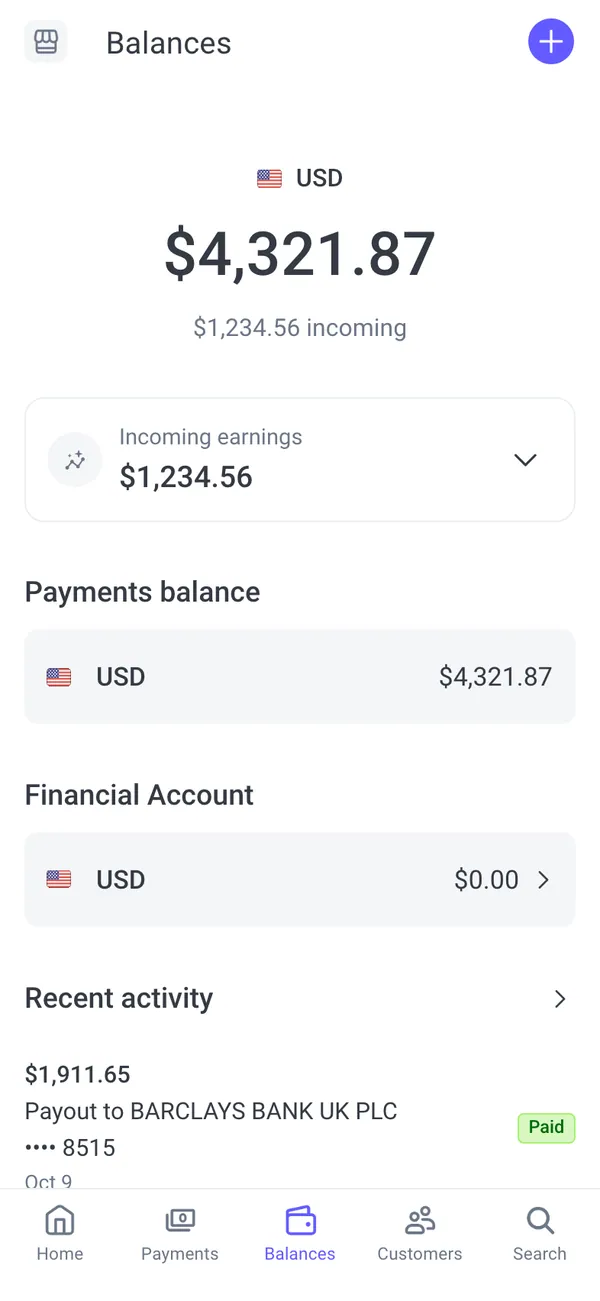
- Balances and payouts, the screen founders love to film.
- Customers, with names you control.
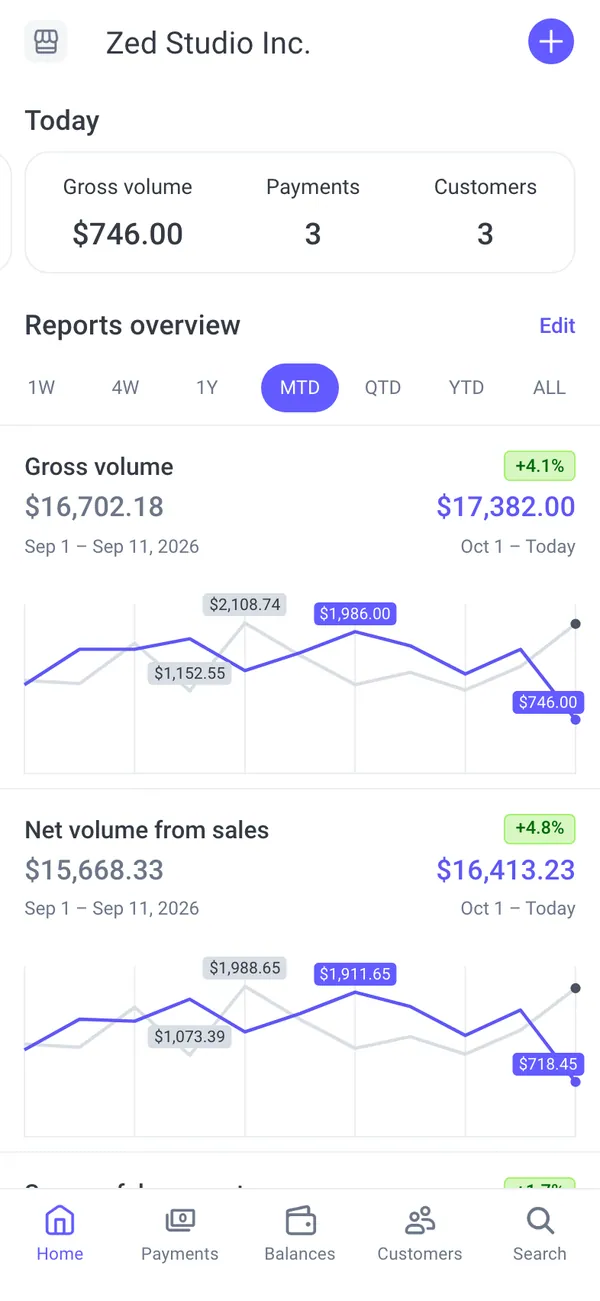
- Live phone alerts such as “Payout of an amount is on the way” and “New subscription from” a customer name.
Why creators film a fake Stripe account
Stripe is shorthand for “this person runs an internet business.” That makes it useful in fiction and in parody.
- A SaaS founder skit where the MRR line climbs during a pitch.
- A “behind the scenes of a startup” reel with a payout landing on the phone.
- A film scene where an investor checks a dashboard on a laptop.
- A satire of hustle culture that works because the numbers are obviously a bit.
Keep it as a prop. Do not post it as proof of income to sell a course, a signal group or an investment.
Build your fake Stripe dashboard
- 1Open the Stripe page and set up your persona: name, city, currency and income streams.
- 2Type the numbers you want, or start from a preset so the figures make sense together, then override anything.
- 3Choose live mode so payments and subscriptions arrive on their own, or static mode to hold every number still.
- 4Play a scenario, such as a record revenue day, if you want a scripted burst of payments.
- 5Open it in a desktop browser for the full dashboard, or install it on your iPhone home screen for payout alerts. Alerts need iOS 16.4 or later.
- 6Screen-record the browser, or film the phone with a second camera.
Numbers that survive a close look
Finance-minded viewers do check the math. A few relationships keep you safe.
- MRR should be a clean multiple of your plan prices. If the plan is 29 a month, MRR of 4,350 means 150 subscribers, and the customer list should feel that big.
- Gross volume should be at least MRR for a subscription business, since it also includes one-off charges.
- Payouts trail sales by a few days. The latest payout should reflect last week, not this morning.
- Keep available and pending balances separate and plausible. Pending should be smaller than a week of volume.
- Use varied customer names and a few repeat buyers. A list of identical amounts looks generated.
- Match the persona currency to the city. A London founder would not see dollars by default.
A three-shot sequence for the dashboard
The Stripe screens suit a simple sequence that cuts well in an edit.
- 1Start wide on the laptop with the home screen, showing gross volume and MRR.
- 2Cut to Balances, where the payout line is the part viewers read.
- 3Finish on the phone as a payout or new subscription alert slides onto the lock screen.
Slow, deliberate mouse movement looks confident. A cursor that darts around looks like someone hiding something.
Pairs well with
Stripe is the middle of most money stories. Shopify sales feed it, Meta Ads spend sits upstream of it, and the payout can end up on a Cash App or a card in Apple Wallet.
The Shopify sales guide covers the store side. For clean captures, see how to screen record a fake dashboard.
Open Stripe

Questions
Does a fake Stripe dashboard connect to my real Stripe account?
No. It never connects to Stripe or any bank. All revenue, payouts and customers come from the persona and numbers you set in MaxLarp, and no money moves anywhere.
Can I type my own revenue numbers?
Yes. You can change every name, number and chart shape. Starting from a preset keeps the figures consistent, and you can then override any single value.
Does it work on iPhone?
Yes. Install it to your home screen for the phone version and its payout alerts. Notifications need iOS 16.4 or later. On a computer it runs in a desktop browser.
Is it legal to make a fake Stripe dashboard?
As a prop in a video, skit or ad it is ordinary content. Using it to mislead buyers, investors or customers is not allowed. MaxLarp is not affiliated with Stripe, and this is not legal advice.
Every number on MaxLarp is fictional. Not affiliated with any brand shown. Acceptable use