Fake Fanvue earnings: an editable creator dashboard for video
 · 3 min read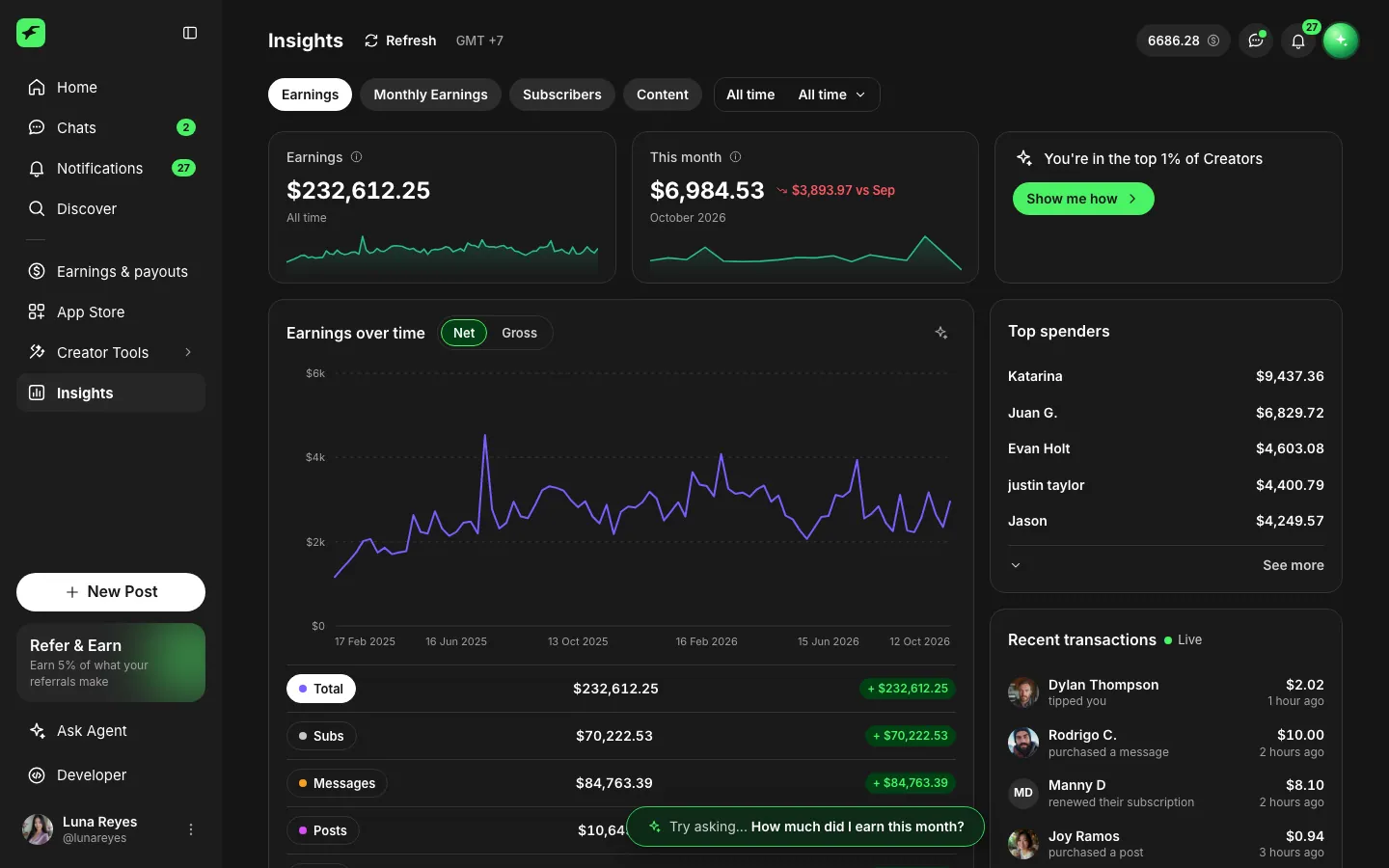
What the fake Fanvue dashboard includes
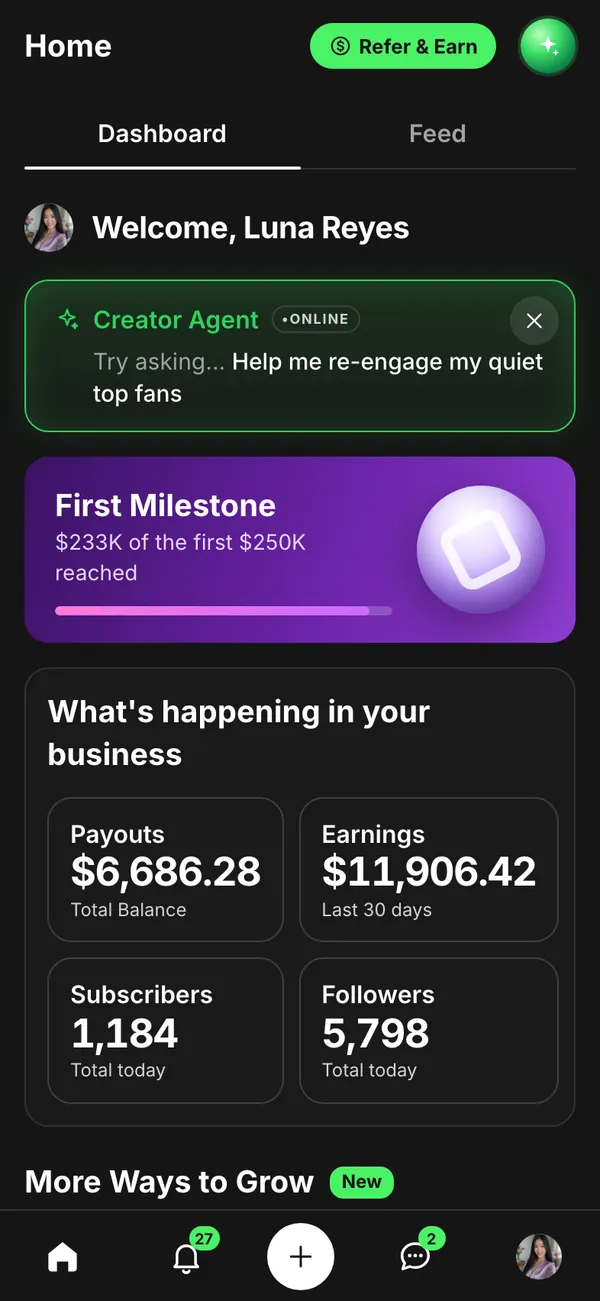
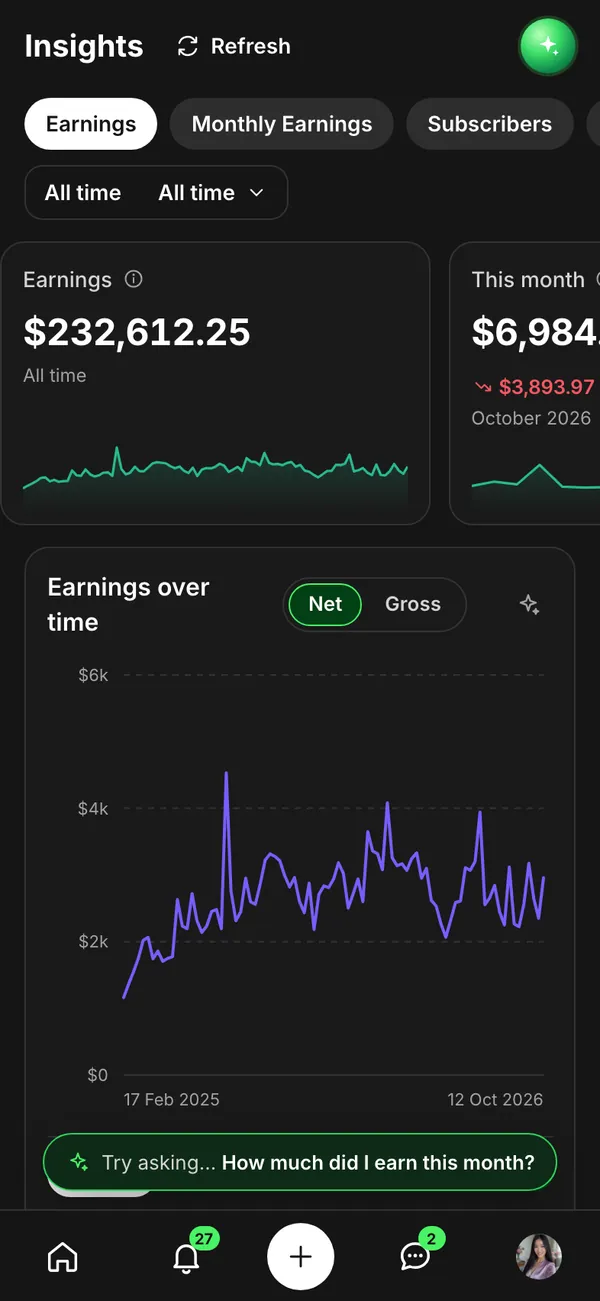
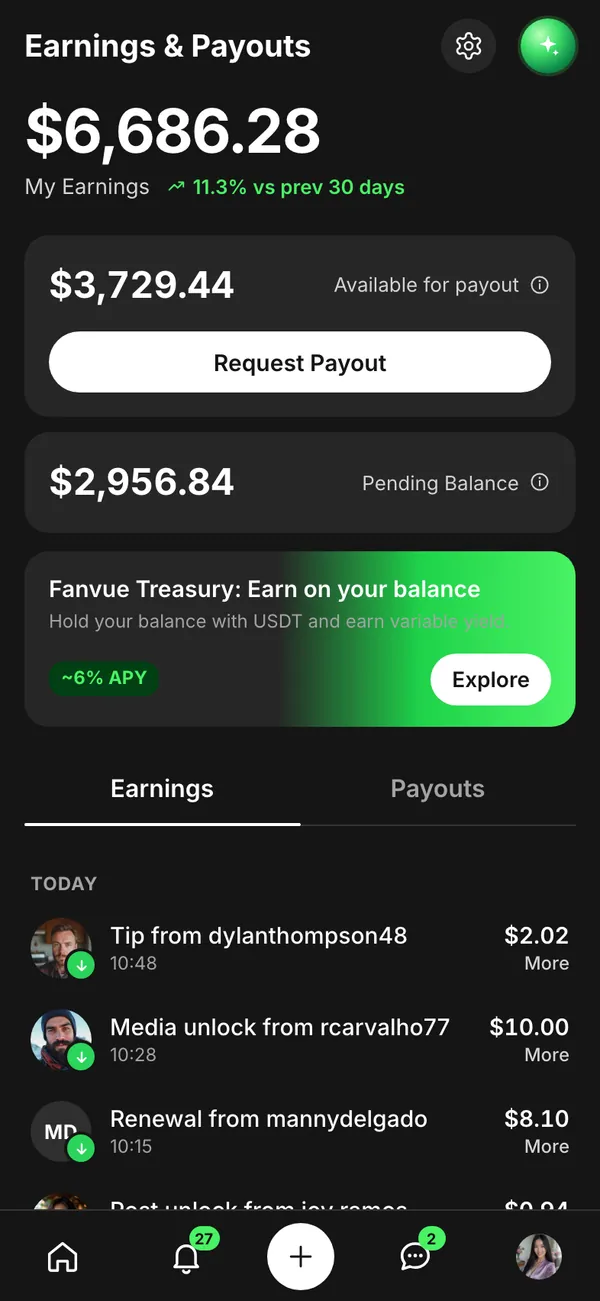
The fake Fanvue dashboard rebuilds the creator side of the platform. There is a home screen, an insights screen, an earnings and payouts screen, and a chats screen.
- Earnings and payouts
- Subscribers
- Insights
On desktop it opens with fanvue.com in the address bar. On iPhone it installs as its own app with its own icon. The people, photos and numbers are all invented, driven by the persona you build.
When a fake earnings dashboard helps a video
Stories about creators and their platforms need a believable earnings page. Think of a sketch about a first payout, a short film about someone building an audience, or a video that compares how different platforms present insights.
Commentary channels use mock-ups when they want to explain a screen without exposing a real one. A fictional dashboard lets you point at a payout line and talk about it freely.
The scope here is the dashboard as a prop. Do not use a made-up balance to recruit people, to sell agency or management services, or to suggest earnings you do not have.
Setting it up in MaxLarp
- 1Open the Fanvue page and add the app.
- 2Create or reuse a persona: name, photo, city and currency.
- 3Choose a preset, then edit the earnings, payouts and subscriber counts, and adjust the insights chart shape.
- 4Select live mode for activity that keeps arriving, or static for a number that must not move.
- 5Open the desktop version in a browser, or add the phone app to your home screen.
- 6Screen-record with your preferred recorder. Phone notifications require iOS 16.4 or later and the app on the home screen.
Details that make it hold up on camera
Viewers who know the interface look at the insights chart first. Give it a shape that resembles an actual month: a climb, a plateau and a dip, not a ruler-straight line.
- Keep subscribers and earnings tied together. More subscribers should lift earnings, with tips and paid messages adding bumps on top.
- Set payouts to arrive on a schedule that does not line up neatly with the earnings chart.
- Pick a currency that matches the persona's city, and keep it constant on every screen in the shot.
- Avoid placeholder-looking names. Ordinary, varied names in the chats list read as real.
The live alerts cover a new subscriber, a tip, a paid message unlocked and a payout sent. Let one arrive naturally in the middle of a take.
Before filming, clear other notifications, set Do Not Disturb, and tidy the home screen. For extra craft, see the screen recording guide.
Keeping the story clear on camera
The best creator-economy scenes tell one thing at a time. Decide what the viewer should take away: a first payout, a growing subscriber count, or a quiet month that makes a character nervous. Then set the screen to say that and nothing else.
Frame tightly. A close shot of the earnings and payouts screen reads faster than a full-window capture, and it hides details you have not polished. Keep the insights chart in the background of the shot, not at its center, unless the chart is the joke. If an actor reads a number aloud, make sure the number on screen matches the line word for word, down to the last digit.
Pairs well with
A creator's income rarely sits in one place. Put the fake OnlyFans dashboard next to this one for a two-platform comparison, show the payout landing in a fake Venmo balance, and close on a Tesla order.
For the full side-by-side logic of one character, read about the fake persona.
Open Fanvue

Questions
Does the fake Fanvue dashboard use my real account?
No. It never connects to Fanvue or any real account, and no money moves. All figures come from your persona or from values you type in yourself.
Can I edit subscribers, payouts and insights?
Yes. Every name, number, date, photo and chart shape can be changed. Starting from a preset keeps the totals consistent, and you can override anything after that.
Does it run on iPhone?
Yes. It installs to your home screen as its own app and can send notifications. This needs iOS 16.4 or later and the app added to the home screen.
Is a fake Fanvue earnings page okay to post?
As a clearly fictional prop in a skit, film or commentary, yes, that is the intended use. It is not for misleading anyone about real income. MaxLarp is not affiliated with Fanvue.
Every number on MaxLarp is fictional. Not affiliated with any brand shown. Acceptable use