Fake Porsche order tracker: phases, paint and photos for video
 · 4 min read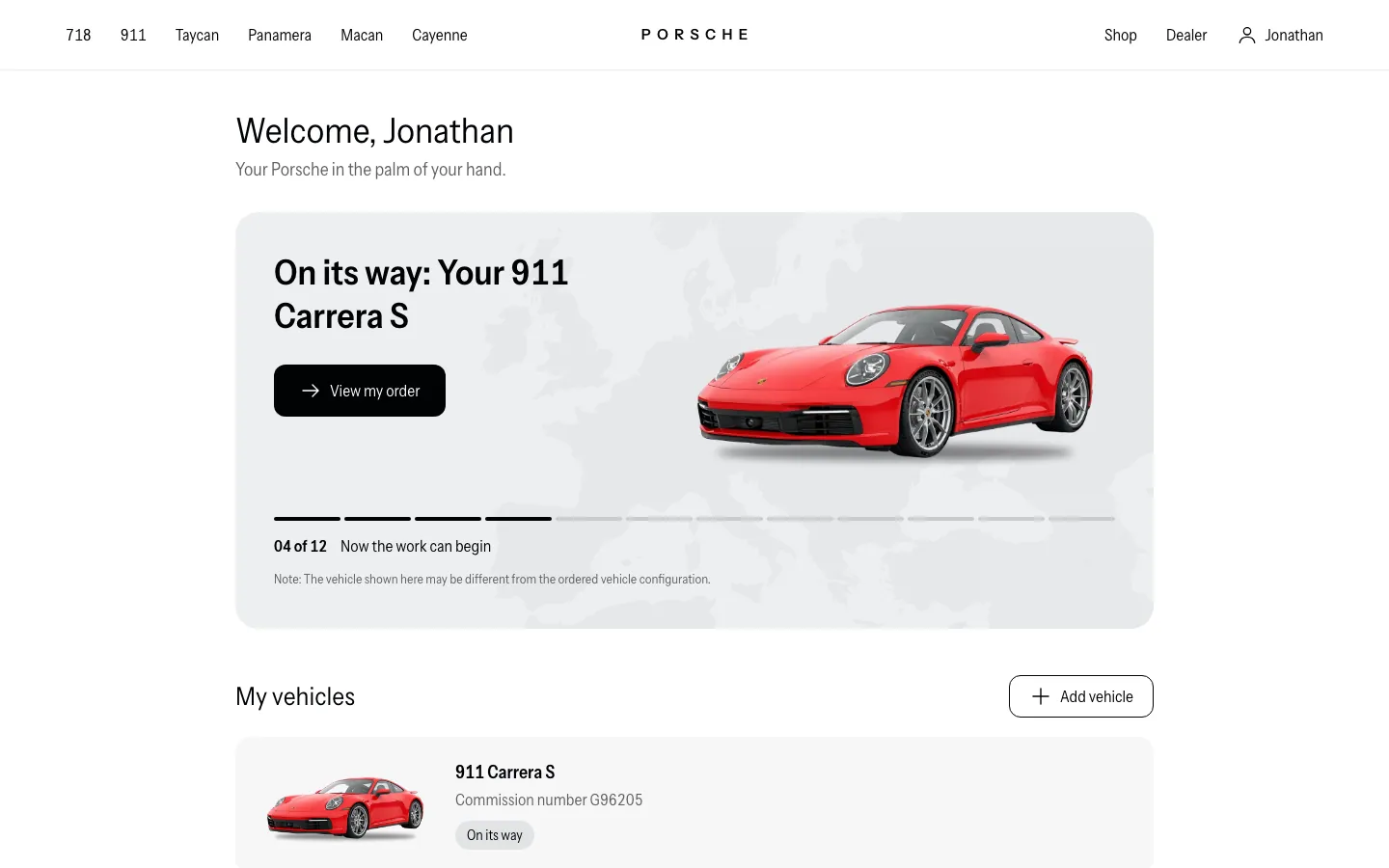
What the fake Porsche tracker shows
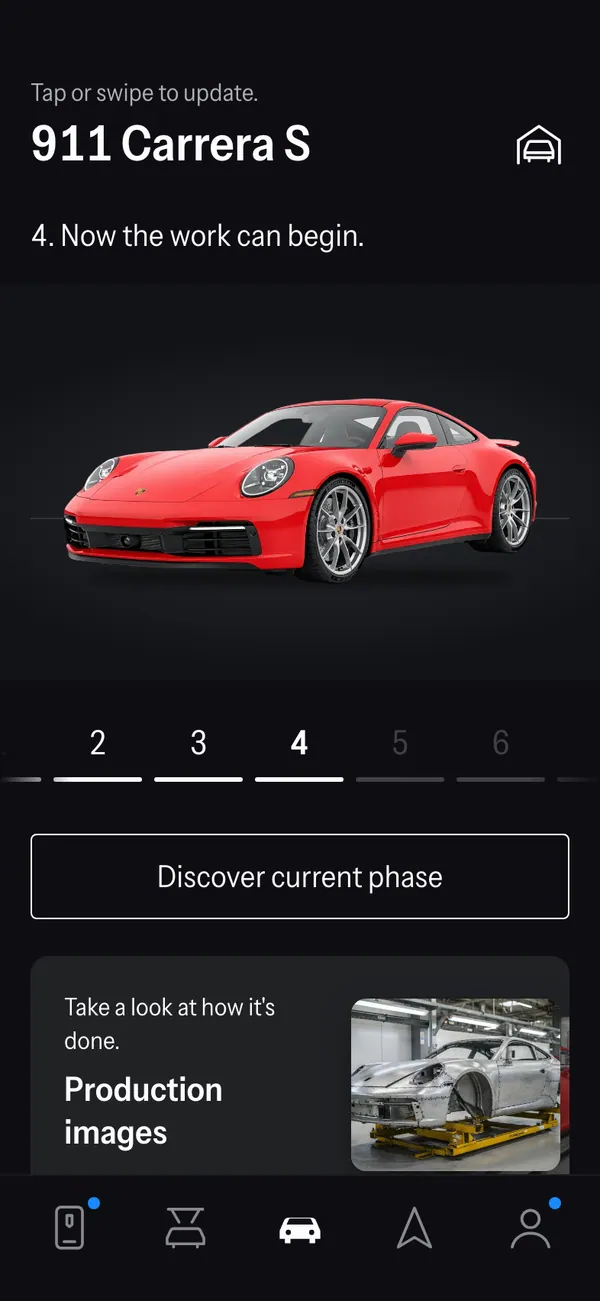
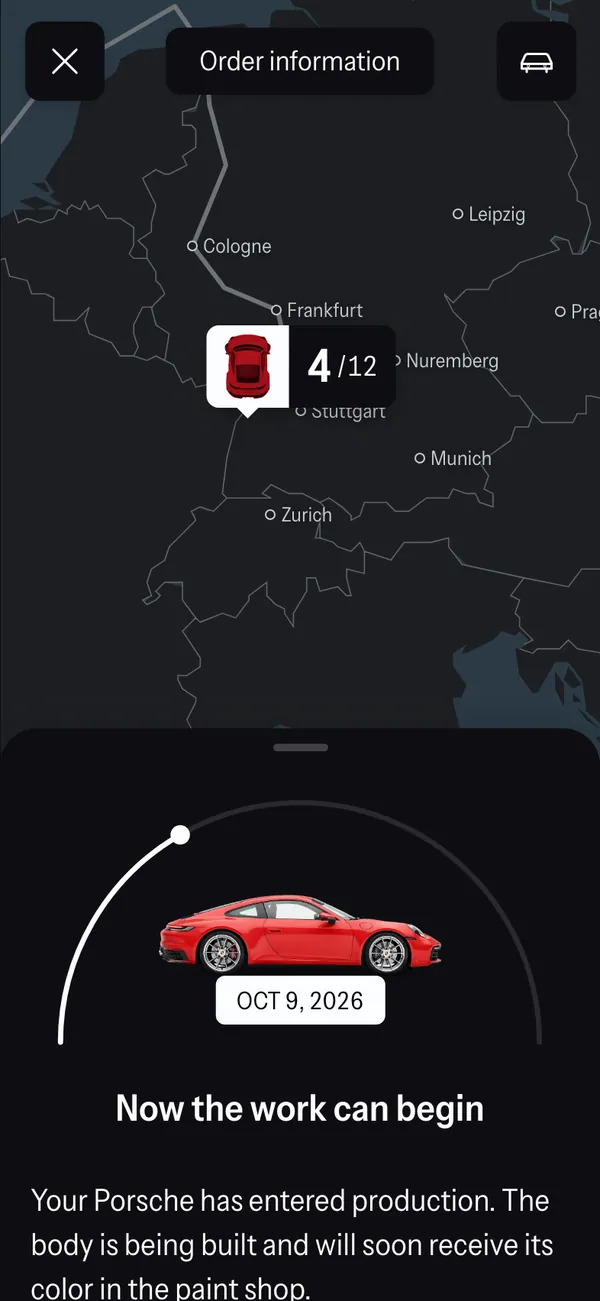
The fake Porsche order tracker follows a car through its milestones. The screens include a vehicle view, a phase view, a photos view, a home screen and an order page.
- Variant and paint
- Milestones
- Photos and spec
On desktop it opens with my.porsche.com in the address bar. On iPhone it installs as its own app and sends its own alerts. The variant, the paint and the delivery plan are invented by you.
Videos built around a fake car order
The order-update beat shows up in many formats: a reveal where the lead character checks the phone, a comedy about someone who cannot stop refreshing the tracker, an ad for a watch or a jacket that ends with a delivery notification.
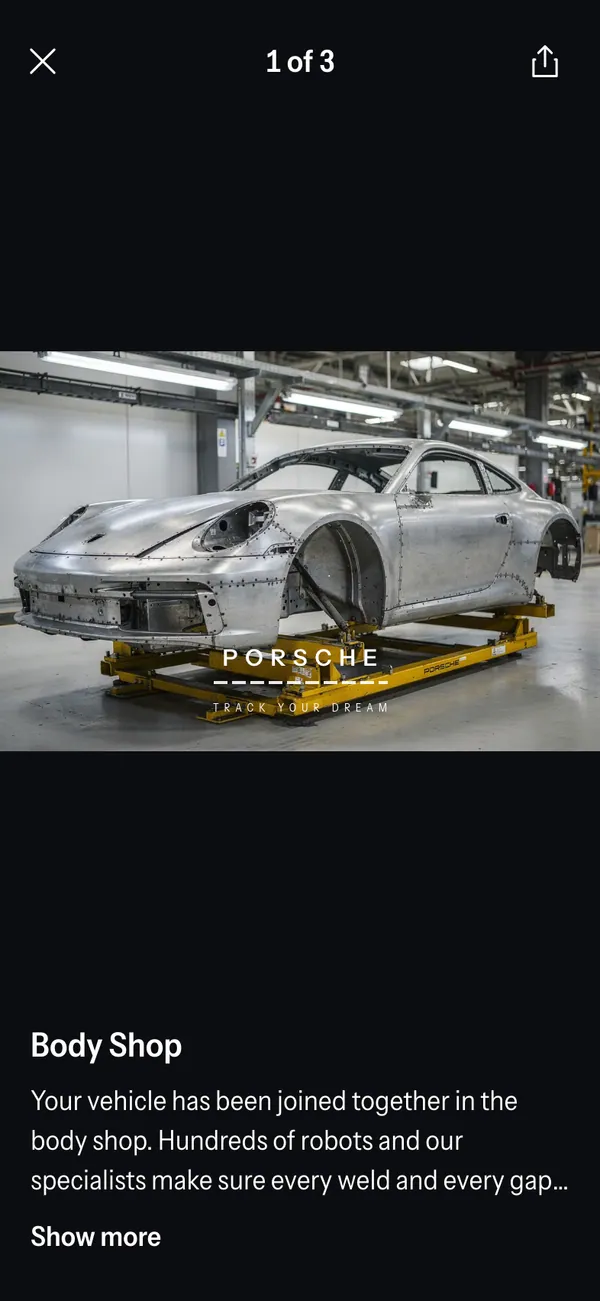
The photos view is useful for a scene that needs a car on screen before there is one on set. It carries the story without a rented vehicle.
Keep it a prop. Do not use a fake order to show a car you do not have in any real deal, deposit or listing.
Set up a fake Porsche order in MaxLarp
- 1Open the Porsche page and add the app.
- 2Create or reuse a persona for the buyer: name, photo, city and currency.
- 3Choose the variant and paint, then fill in the spec and the order details.
- 4Select the phase the order has reached, so the milestones match your story.
- 5Use live mode if alerts should arrive over time, or static to hold a single phase for the camera.
- 6Open it on desktop or install it on your iPhone. Notifications need iOS 16.4 or later and the app on the home screen. Record the screen with your own recorder.
Details that make the tracker feel real
Order trackers are specific. Vagueness is what gives a fake away, so decide the details before you film.
- Pick a variant and a paint that make sense together, and keep both identical on every screen.
- Let the phase match the date. A car at the early phase should have a distant delivery estimate.
- Use the photos view for the beauty shot, and keep the order page for the close-up of the spec.
- Match the buyer's name to the persona on the rest of the screens in your scene.
The alerts run from order confirmed through production started, VIN assigned, on the move, delivery scheduled and ready for delivery. They also include two app-style ones, vehicle locked and climate is on, which suit a scene where the owner uses the phone beside the car.
For filming, set Do Not Disturb, keep the brightness steady and scroll slowly. The screen recording guide has the checklist.
Choosing which screen carries the scene
Each screen has a different job. The vehicle view is the reveal, because it shows the variant and paint together. The phase view is the suspense, since it shows how far along the order is. The photos view is the payoff, giving the audience something to look at.
Pick one per shot and move on. A scene that tries to show all three at once usually shows none of them well. If the order is the end of your story, finish on the photos view and let the car image sit on screen. If it is a mid-story beat, finish on the phase view and cut away before the delivery date arrives. Either way, keep the camera still for two seconds after the last scroll so the viewer can read it.
Pairs well with
A tidy arc: a creator's views on the YouTube dashboard, a sponsor payout in a fake Venmo balance, and then the order. If the same character also drives an electric car, the Tesla order tracker makes a good second beat.
The luxury b-roll Vault adds clips to cut between phone shots.
Open Porsche

Questions
Does the fake Porsche tracker connect to a real order?
No. It does not connect to Porsche, a dealer or a real order. Everything on screen is fictional and set by you in MaxLarp.
Can I edit the variant, paint and milestones?
Yes. You can change the variant, paint, spec, names, dates and the phase the order is in. Start from a preset, then override whatever the story needs.
Does it work on iPhone?
Yes. It installs to your home screen as its own app. Notifications need iOS 16.4 or later and the app added to the home screen.
Is MaxLarp affiliated with Porsche?
No. MaxLarp is not affiliated with, endorsed by or sponsored by Porsche. It is an independent mock-up meant for videos, parody and film.
Every number on MaxLarp is fictional. Not affiliated with any brand shown. Acceptable use