Fake Tesla order: an editable order page and delivery tasks
 · 3 min read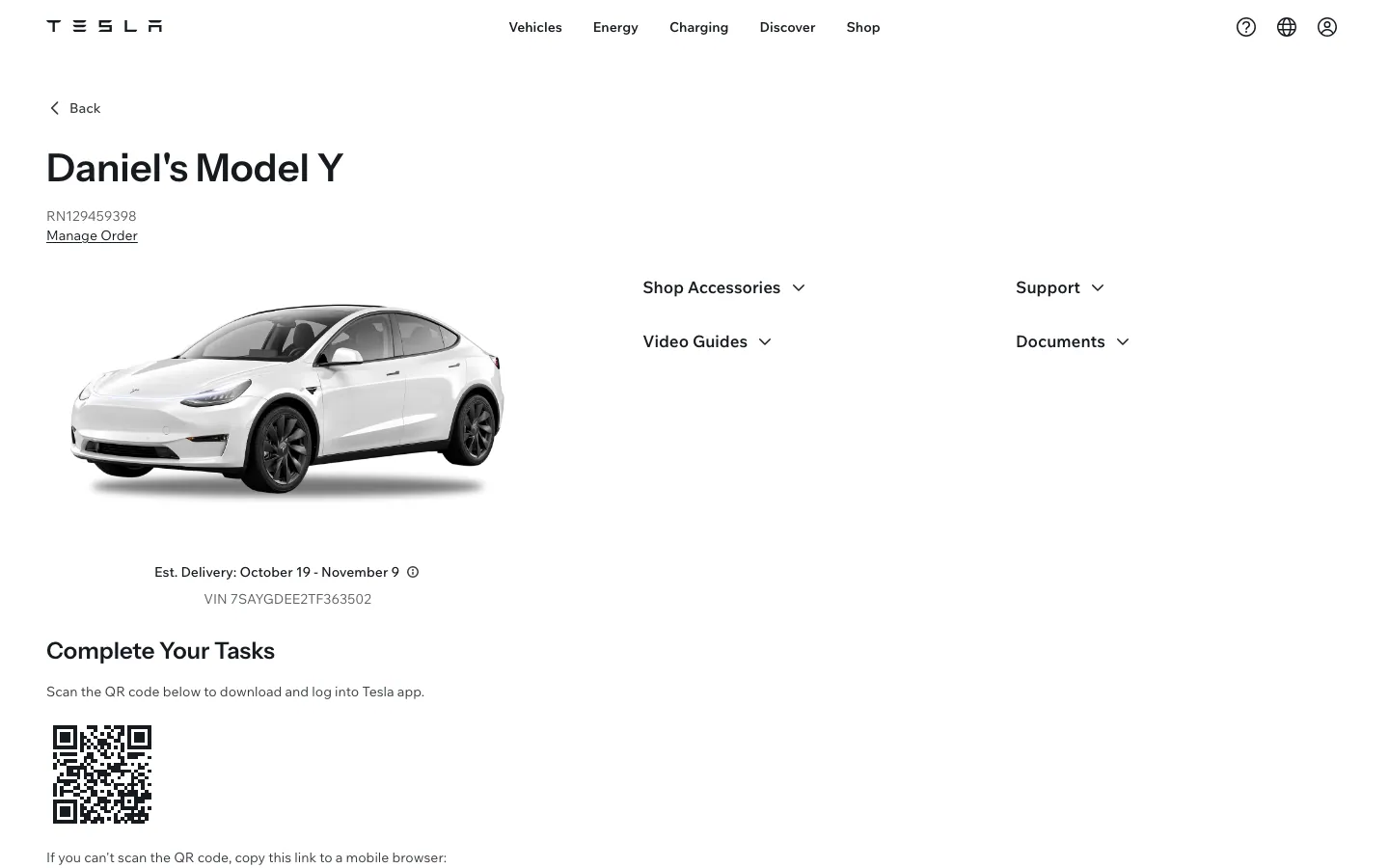
What the fake Tesla order includes
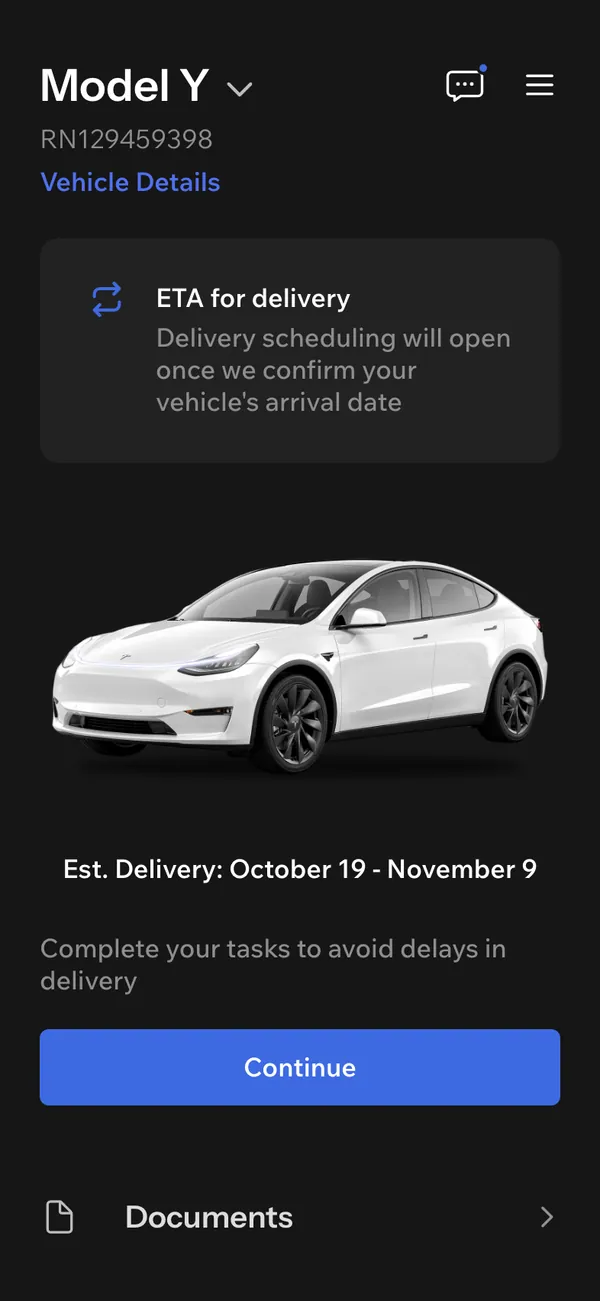
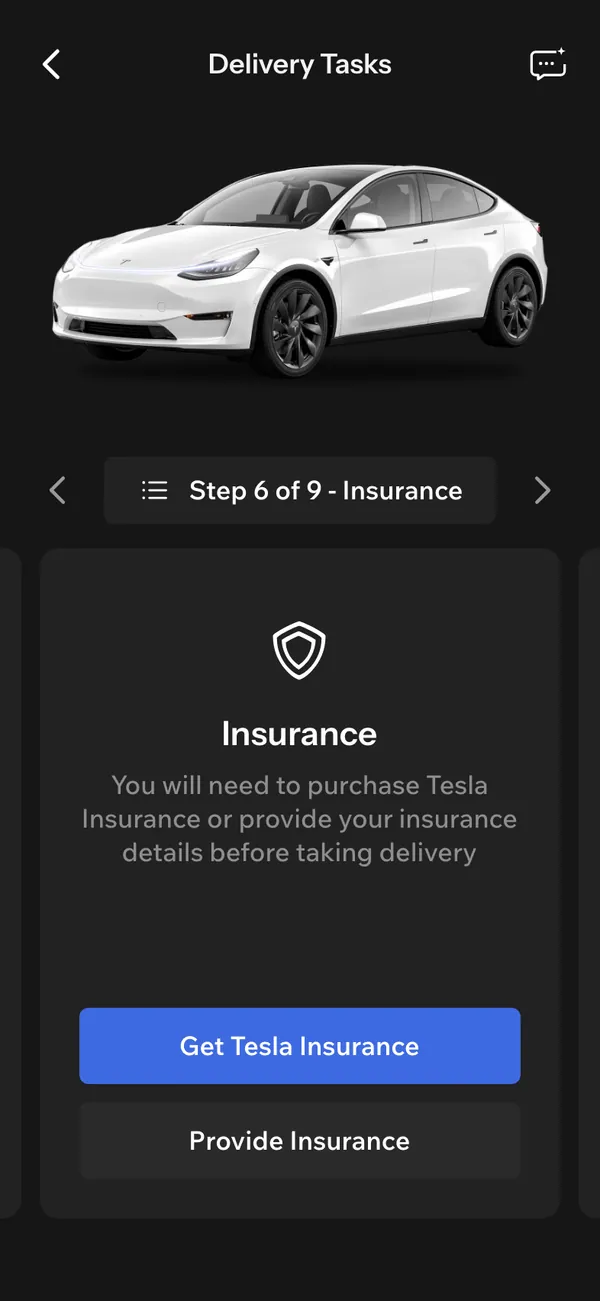
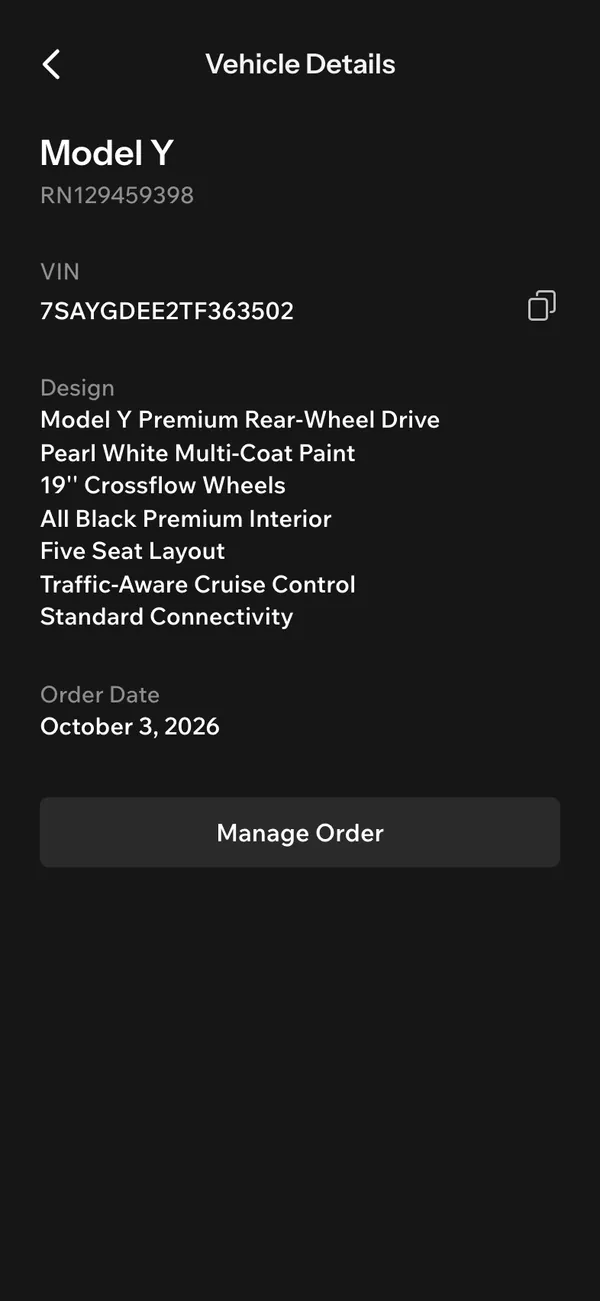
The fake Tesla order tracker covers the order page and the app. The screens include a home view, a tasks view, a details view, a messages view and an order page.
- Trim and price
- Delivery tasks
- Scheduling
On desktop it opens with tesla.com in the address bar. On iPhone it installs as its own app with its own icon and alerts. The trim, the price and the delivery date are all invented.
When a fake Tesla order is useful
Delivery day is a favorite format. The owner opens the app, ticks off the delivery tasks and walks to the car. A fake order lets you film the build-up even when the car in the shot is borrowed or staged.
It also suits comedy about waiting for a delivery date, ads where a character's good news arrives on a phone, and films that need an order page open on a laptop in the background.
Treat it as a prop. Do not show it as real proof of a purchase, or use it in a listing, a resale or a financing request.
How to set it up in MaxLarp
- 1Open the Tesla page and add the app.
- 2Make a persona for the owner: name, photo, city and currency.
- 3Choose the trim and set the price on the order page, then fill in the details view.
- 4Set the delivery tasks and the scheduled slot to match the day you are filming.
- 5Pick live mode so alerts arrive over time, or static to freeze one state.
- 6Open it on desktop or install it on your iPhone. Notifications need iOS 16.4 or later and the app on the home screen. Record the screen yourself.
Making the order believable on camera
A Tesla order lives on dates and tasks, so the logic between them matters most.
- Keep the price in line with the trim. A higher trim should cost more, and any extras should add up.
- Make the scheduled delivery fit the story. A delivery slot the day after the confirmation looks rushed.
- Tick off the delivery tasks in a sensible order, and leave one open if the scene needs tension.
- Use the messages view for a short, plausible exchange, not a long wall of text.
The alerts run from order confirmed to production started, VIN assigned, on the move, delivery scheduled and ready for delivery. Vehicle locked and climate is on suit the first morning with the car.
When you film, put the phone on Do Not Disturb, keep the battery icon healthy and scroll without hurry. The screen recording guide goes deeper.
Staging delivery day
Delivery day is the biggest moment this app can support. Set the scheduled slot for the day you are filming, leave the delivery tasks half done, and tick the last one on camera. That single tap gives you a clear beginning, middle and end inside one shot.
Film the phone from over the shoulder, so the viewer sees the task list and the car in the same frame. Keep the messages view in reserve for a second take, such as a short note confirming the pickup time. If the car on set is borrowed, avoid close shots of anything that would contradict the trim on screen, such as wheel size or badges.
Pairs well with
Start the story with income. A fake Shopify sales day, a payout on a fake Stripe dashboard, a card in Apple Wallet, and then the Tesla order as the reward.
If the scene moves from the order to the road, the fake iPhone location app helps the phone show somewhere new.
Open Tesla

Questions
Is the fake Tesla order connected to Tesla?
No. It does not connect to Tesla, a Tesla account or any real vehicle. The trim, price, tasks and dates are fictional and set by you.
Can I change the price and delivery date?
Yes. You can change the trim, price, names, dates and delivery tasks. Start from a preset and override anything you need for the scene.
Does it send alerts on iPhone?
Yes, once it is added to your home screen. It needs iOS 16.4 or later. Alerts include order confirmed, delivery scheduled and ready for delivery.
Is it affiliated with Tesla?
No. MaxLarp is not affiliated with, endorsed by or sponsored by Tesla. It is an independent mock-up for props in fiction, parody and ads.
Every number on MaxLarp is fictional. Not affiliated with any brand shown. Acceptable use