Fake Venmo balance: a believable feed and balance for video
 · 3 min read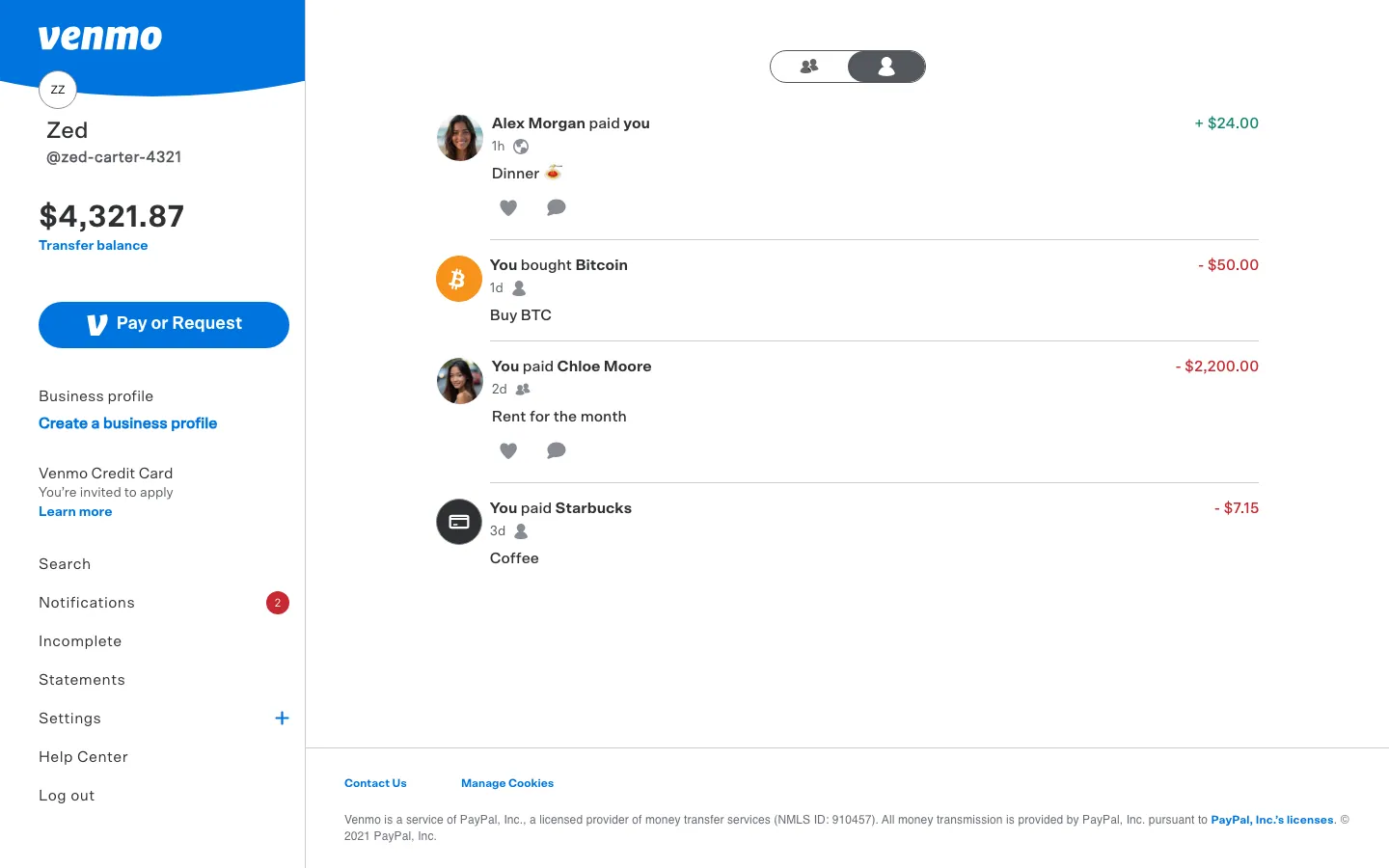
What the fake Venmo app shows
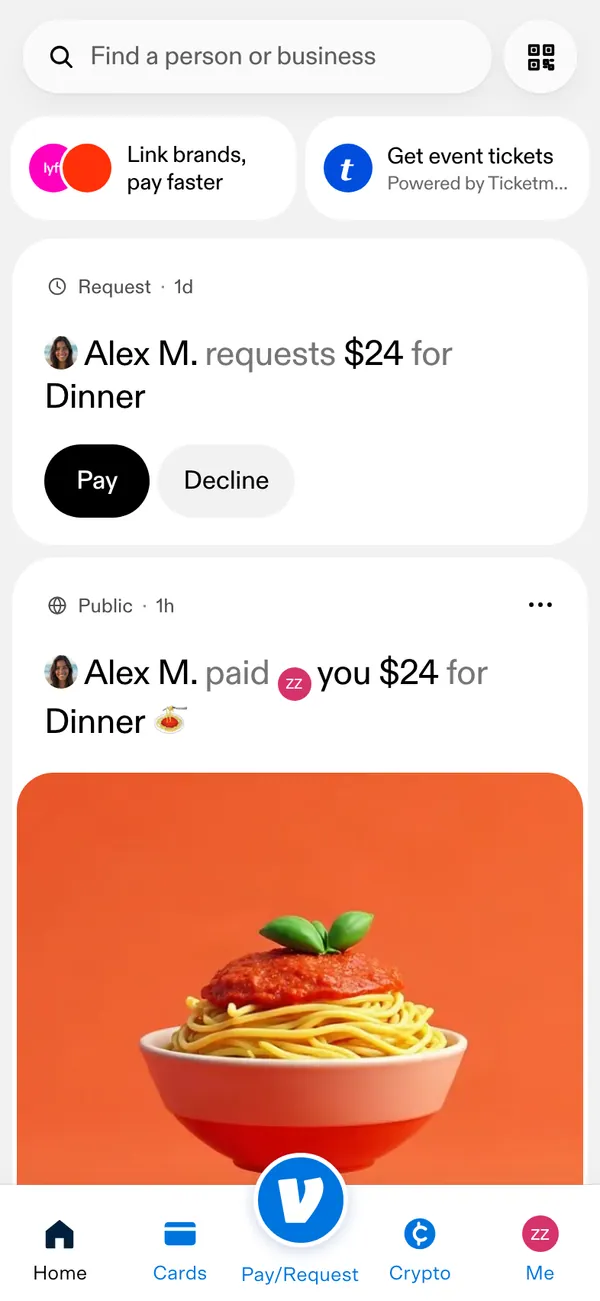
The fake Venmo dashboard works in a desktop browser at venmo.com in the frame, and as an app on your iPhone.
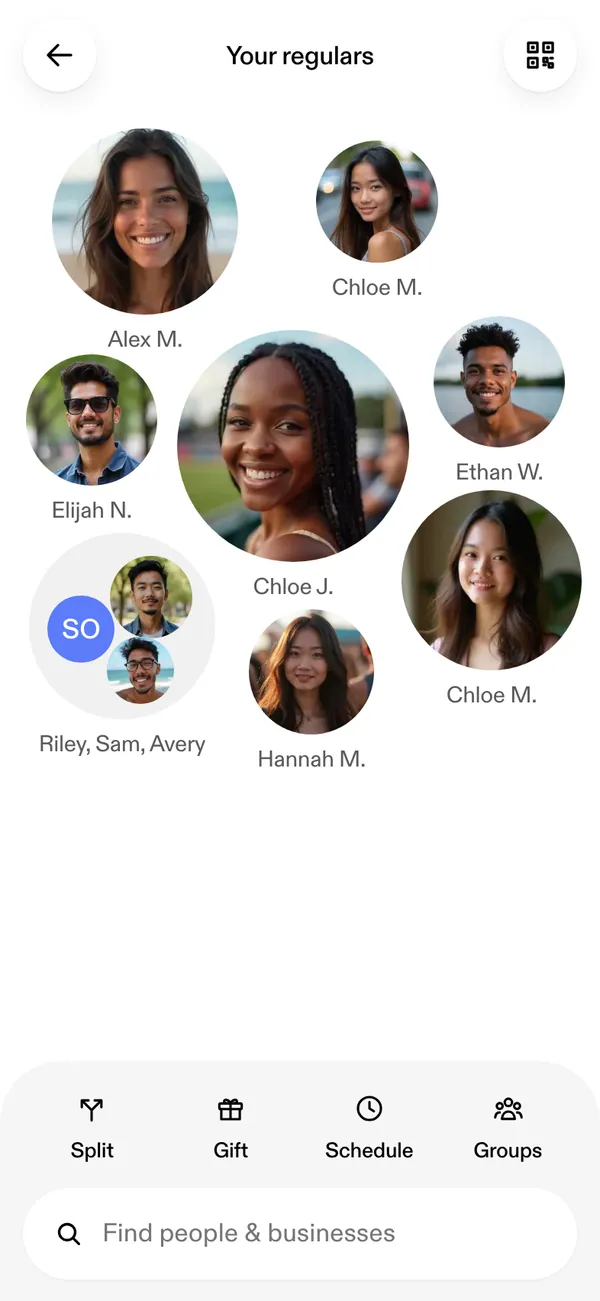
- Home, with your balance.
- A friends feed, where payments and notes scroll by.
- Pay or request, the screen you film when a character sends money.
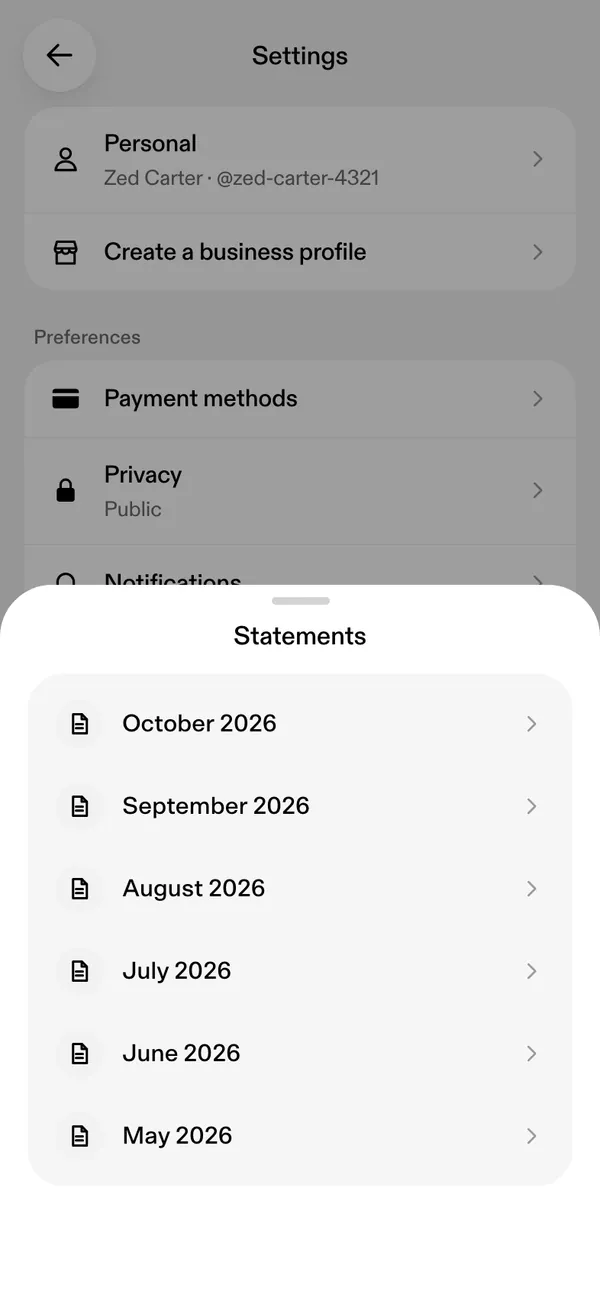
- A statement view for a month of activity.
- A “Your transfer is complete” alert on the phone.
When a Venmo screen helps the story
Venmo is social money. People send small amounts with a joke attached, and that texture is hard to fake with a screenshot.
- A skit about splitting a dinner bill where one friend never pays.
- A roommate series with a running tab of rent and utilities.
- A reel about cashing out a balance and the transfer alert arriving.
- A short film scene where a request lands at the worst possible time.
Treat it as a prop. Do not use a made-up payment as evidence that someone owes you, or show it to a real person as a real transfer.
Set up a fake Venmo balance
- 1Open the Venmo page and set up your persona: name, photo, city and currency.
- 2Type your balance and edit the feed with friend names, notes and amounts.
- 3Choose live mode for activity that arrives by itself, or static mode to keep the feed fixed.
- 4Open the desktop version in a browser, or install it on your iPhone home screen. Alerts need iOS 16.4 or later.
- 5Open the pay or request screen for the shot where money moves.
- 6Screen-record, or film the phone with a second camera.
Small details that sell the feed
- Write notes the way people do: short, jokey, often an emoji or a one-word reason.
- Keep amounts small and odd. Eighteen dollars for pizza looks more honest than a round hundred.
- Use a mix of friends. A feed of the same three names reads like a script.
- Space the dates. A feed with ten payments in one minute is obviously staged.
- Make the balance modest. Venmo balances are usually small, since people cash out.
- Match your character name across apps, and put the phone on Do Not Disturb before the take.
Filming the pay or request moment
The pay or request screen is where Venmo turns into a scene. Rehearse the typing first, because the amount and the note are the whole shot.
Keep both hands in frame if you can, and let the thumb hover for a second before it presses send. The pause makes the viewer lean in. Then cut to the friend's phone, or to your own, as the transfer-complete alert lands.
If you want a joke in the note, keep it short. A note that needs three lines to explain will not read at phone size. Zoom in a little on desktop too, since the feed is small text and the notes are the part people actually read.
Pairs well with
Venmo sits at the casual end of a money story. A Cash App payday can lead to a Venmo split, and the Inbox app can supply the receipt or text that follows. The Amex app covers the card that paid the original bill.
The fake Cash App guide tells the same kind of story from the other side. For alerts, read about fake payment notifications on iPhone.
Open Venmo

Questions
Can I send real money with the fake Venmo app?
No. Nothing connects to Venmo or a bank, and no real money moves. The pay and request screens are for filming, and every balance and transfer is fictional.
Can I edit friend names and notes in the feed?
Yes. You can change names, photos, amounts, dates and notes in the feed. Start from a preset so the numbers agree with each other, then override whatever the scene needs.
Does a fake Venmo balance work on iPhone?
Yes. Install it on your home screen for the phone app and its transfer alert. Notifications need iOS 16.4 or later. It also runs in a desktop browser.
Is it legal to make a fake Venmo balance for a video?
As a prop for content it is fine. Using it to claim a payment or debt from a real person is not allowed. MaxLarp is not affiliated with Venmo, and this is not legal advice.
Every number on MaxLarp is fictional. Not affiliated with any brand shown. Acceptable use